How to Choose a USB Charging Cable in 2026?
Choosing a Usb Charging Cable in 2026 is not just about finding the right connector. The cable affects charging speed, data transfer, and everyday reliability. A cable that fits may still fall short. Looks can mislead. Benson Leung, a Google engineer known for testing USB-C accessories, has highlighted an important lesson through his work: verify a cable’s capabilities instead of judging it by appearance. That practical advice matters when product listings use broad claims without clear specifications.
This guide will explain how to match a cable’s power rating with your charger and device. It will also cover USB-C, Lightning, and other common connector types, plus the difference between charging and data-transfer support. We’ll look at cable length, build quality, certification, and useful signs of trustworthy product information. For example, a braided exterior may resist scuffs, but it does not prove that a cable supports a particular wattage. Check the stated ratings. Confirm compatibility. Consider how and where you use it, whether beside a desk or in a travel bag. Even careful research has limits: labels can be confusing, and specifications are not always easy to compare. The goal is a sensible choice, not a perfect one. By the end, you’ll have a practical checklist for choosing a Usb Charging Cable that suits your devices and avoids paying for features you may never use.
Identify Your Devices, Ports, and Charging Needs
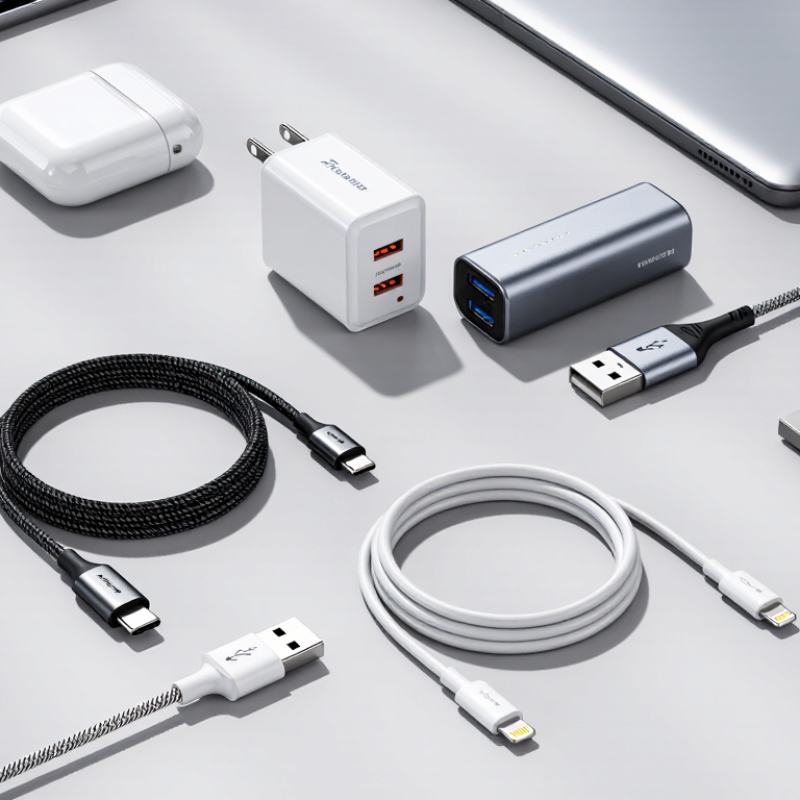
Start with the device you need to charge, not the cable drawer. Check its charging port: a small oval USB-C port, a rectangular USB-A port, or another connector. Match the cable ends to both the device and the power adapter. Two USB-C ends will not help if your adapter has a USB-A port. Check carefully. Port shape alone does not tell you how quickly a device can charge.
Next, look up the device’s charging requirements and compare them with the adapter and cable ratings. For USB-C, a cable’s connector does not guarantee a particular power level; supported charging depends on the equipment and cable working together. If you also transfer files, check whether the cable supports the data speed you need. Some cables are made mainly for charging and offer limited data transfer. A sturdy cable with reinforced strain relief may hold up better beside a desk or in a travel bag, but thick does not always mean durable. I still find it easy to buy for the phone and forget the adapter. That small mismatch can leave a perfectly good cable unused. When details are unclear, check the device maker’s specifications rather than guessing from a product photo.
Choose the Right Connector for Each Device
Choosing the right connector starts with the device’s port, not the charger’s shape. USB-C is a small, oval port that accepts the plug either way up. It is common on newer phones, tablets, and laptops, but the port alone does not guarantee fast charging. Check the device’s specifications and the charger’s output. A cable marked USB-C to USB-C has that connector at both ends; USB-A to USB-C pairs a familiar rectangular plug with the newer one. Small detail, big difference.
Older accessories may use Micro-USB, whose plug fits in only one orientation. Look closely before buying: its tapered shape can resemble other small connectors at a glance. I would not rely on memory alone; ports are easy to mix up, especially in dim light. Match both ends of the cable to the device and power source, and never force a plug. It should slide in smoothly. If the device uses a less common connector, consult its manual or inspect the original cable. Also check whether you need data transfer, since a charging cable may not support it. A little caution saves a return trip.
Match Cable Power Ratings to Charging Requirements
A USB charging cable should meet the power needs of both your charger and device. Check the wattage printed on the cable, then compare it with the maximum charging power your device supports. The lowest-rated part sets the practical limit. A 100-watt charger cannot deliver its full output through a cable rated for only 60 watts.
For USB-C, a 60-watt cable commonly supports up to 20 volts at 3 amps. Higher-power charging may require a 5-amp cable with an electronic marker, often called an e-marker. Some USB-C cables support up to 240 watts, but that rating matters only when the charger and device also support the required power standard. Check the specifications, not just the plug shape. Numbers matter.
Cable labels can be confusing, and wattage alone does not promise a particular charging speed. The device may draw less power as its battery fills, or limit charging to manage heat. A long, thin, or damaged cable can also perform poorly. Feel for unusual warmth during normal use, and replace cables with frayed insulation or loose connectors. Check the label. A little extra capacity is useful, but paying for a rating your devices cannot use may not be.
Check Data Transfer Speeds and Compatibility
When choosing a USB charging cable in 2026, check its data rating, not just its plug shape. A USB-C connector can support very different transfer speeds, and some cables carry power only. For large photo or video folders, a slow cable can turn a quick backup into a long wait. Look for a stated speed, such as USB 5Gbps or 10Gbps, and compare it with both devices’ ports. The cable cannot exceed the slower port.
Compatibility means more than fitting the socket. Confirm that the cable ends match your computer, phone, or external drive. Check each device’s specifications for supported data modes. Adapters can also affect speed or reliability. I still find package labels oddly vague; “fast” alone tells you little. Don’t assume every USB-C cable transfers files. A well-documented cable is easier to assess, but advertised speeds are maximums, not a promise of everyday results.
Tips: Check the port symbols and manual, then test a small file transfer. If speed matters, avoid damaged cables and consider cable length. Real-world results may fall below the advertised maximum.
Compare Safety, Durability, and Cable Length
Choosing a USB charging cable in 2026 starts with matching its power rating to your charger and device. USB-C plugs can look identical while supporting different charging speeds. Check the cable’s listed wattage and current, not just its connector shape. Fit matters. Inspect the plug and flexible section near each end for loose seams, exposed wires, or cracks. A cable that becomes unusually hot, disconnects when nudged, or smells burnt should be replaced. Slight warmth during charging can be normal, but heat deserves attention.
Durability depends on more than a braided outer layer. Look for firm strain relief and a jacket that bends smoothly without kinking. Avoid pulling a cable out by its cord; grip the plug instead. Even careful buyers can overvalue a thick appearance and overlook weak end joints. I would check those joints again.
Choose a length for where you actually charge: about one metre works well on a desk, while two metres can reach a sofa outlet. Longer cables are convenient, but may tangle and can deliver less power if they are poorly made or not rated for the job. Too long? Measure the route first, including the path around furniture.
How to Choose a USB Charging Cable in 2026?
Compare power ratings, safety, durability, and cable length.
Reading the chart: The power figures are calculated from USB-C cable current and voltage ratings: 20 V × 3 A = 60 W, 20 V × 5 A = 100 W, and 48 V × 5 A = 240 W. Actual charging power depends on the cable, charger, and device. For cables rated above 3 A, choose one with the required electronic marking (E-Marker) and appropriate USB-IF certification. No single durability lifespan applies to every cable; check its construction and warranty. Choose the shortest practical length, since longer cables can increase voltage drop depending on their wire gauge and design.